Best TikTok Lyric Video Maker
TikTok has changed the way music is discovered. A 15 to 60-second clip can introduce a song to millions of people overnight, and lyric videos have become one of the easiest ways to capture attention. Instead of simply showing a song playing in the background, lyrics give viewers something to read, follow, and sing along with, making videos more engaging.
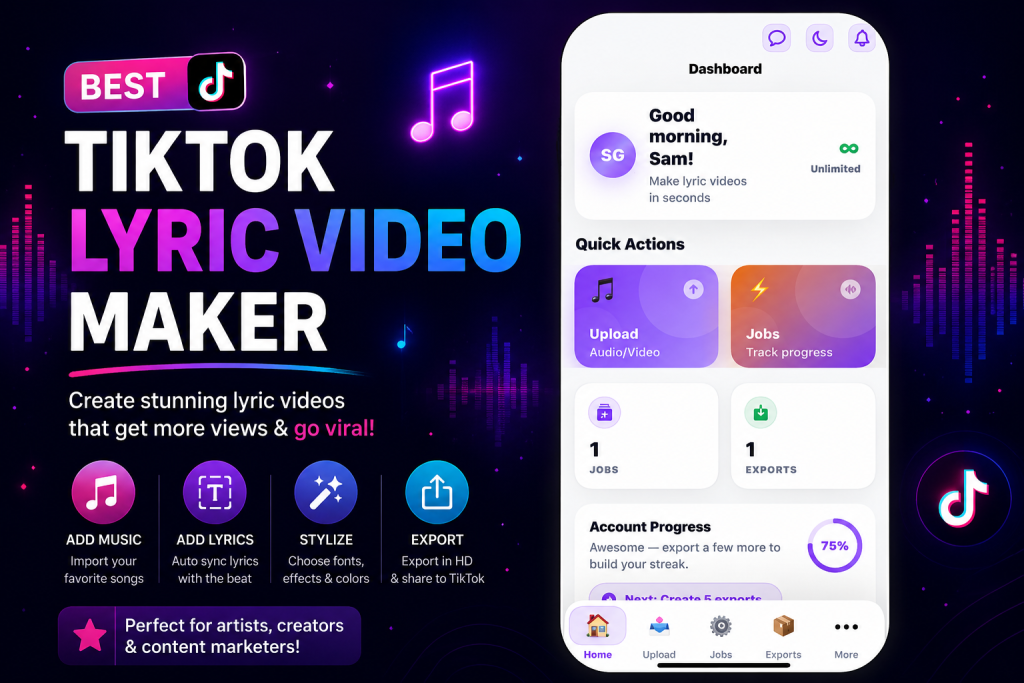
If you’re looking for the best TikTok lyric video maker, the ideal tool should help you create synchronized lyric videos quickly without requiring advanced video editing skills.
In this guide, you’ll learn what features matter most, how to create a TikTok lyric video efficiently, and why many creators choose dedicated lyric video software over general video editors.
🎤 Why Lyric Videos Work Well on TikTok
TikTok is built around short, engaging content. When lyrics appear in sync with the music, viewers naturally stay focused on the video because they’re reading and listening at the same time.
Lyric videos are commonly used for:
- Promoting new songs
- Sharing song snippets
- Music marketing
- Fan edits
- Artist announcements
- Instagram Reels
- YouTube Shorts
Unlike traditional music videos, lyric videos are faster to produce and can often be published before the official music video is released.
✨ What Makes a Great TikTok Lyric Video Maker?
Many video editors allow you to add text, but creating a lyric video is much more than placing words on the screen.
A good lyric video maker should simplify the entire workflow from importing your song to exporting the finished video.
Some of the most useful features include:
- Automatic lyric synchronization
- AI lyric generation
- Fast rendering
- Easy editing
- Mobile support
- Web browser access
- Clean interface
- High-quality exports
The goal is to spend less time editing and more time publishing.
⏱️ Why Dedicated Lyric Video Software Saves Time
General-purpose video editors are excellent for editing videos, adding transitions, and applying effects.
However, lyric videos require precise timing between audio and text. Manually adjusting every lyric line can become time-consuming, especially for longer songs.
Dedicated lyric video software focuses specifically on matching lyrics with music, making the process much faster.
If you regularly create music content, this specialized workflow can significantly reduce editing time.
📱 Creating TikTok Lyric Videos with VizMigo
VizMigo is designed specifically for creating lyric videos.
Instead of building your project from scratch inside a traditional editor, the workflow is streamlined so you can move from your song to a finished lyric video in just a few steps.
📲 On iPhone
Creating a lyric video on your iPhone is straightforward.
- Click here to the App Store.
- Get VizMigo app.
- Open the app and create your account.
- Tap Upload.
- Select your song.
- Paste your lyrics or generate them, then tap upload to continue.
- Sync the lyrics with the music by adding effects, background image and then tap save & render.
- Export and download your completed video.
Everything happens inside the app, making it convenient whether you’re creating content at home or on the go.
💻 On the Web
If you prefer working from a computer, VizMigo also works in your web browser.
The process is equally simple:
- Sign up
- Upload your song
- Add your lyrics or generate them
- Sync the lyrics
- Export the finished lyric video
This gives creators the flexibility to work from either desktop or mobile depending on their workflow.
🔍 Features to Look For Before Choosing a Lyric Video Maker
🚀 Easy Project Setup
You shouldn’t need to spend twenty minutes just preparing a project.
A good lyric video maker should let you upload your song and begin editing almost immediately.
📝 Flexible Lyric Input
Sometimes you already have your lyrics.
Other times, you don’t.
Being able to either paste lyrics or generate them gives you greater flexibility.
🎼 Smooth Synchronization
Timing is one of the most important parts of any lyric video.
Even small delays between the music and the displayed words can affect the viewing experience.
Choosing software that simplifies synchronization helps create cleaner, more professional-looking videos.
⚡ Fast Exporting
After finishing your project, you want your video ready for posting as quickly as possible.
Long rendering times can slow down your content creation process.
👋 Beginner-Friendly Design
Not everyone is a professional editor.
A clean interface helps beginners create quality lyric videos without spending days learning complicated software.
💡 Tips for Better TikTok Lyric Videos
🎯 Start With a Strong Hook
The first few seconds determine whether someone keeps watching.
Choose the most memorable part of the song or begin with an eye-catching lyric.
🧹 Keep the Screen Clean
Avoid overcrowding your video with too much text or unnecessary graphics.
The lyrics should remain the main focus.
🔤 Use Easy-to-Read Fonts
Fancy fonts may look attractive, but they can make lyrics difficult to read.
Simple fonts often perform better because viewers can follow the words more easily.
🎨 Match the Mood
The background should complement the music.
A calm song may work better with subtle visuals, while energetic songs often benefit from brighter, faster-moving backgrounds.
👀 Preview Before Exporting
Before exporting, watch the video from beginning to end.
Check that:
- Lyrics appear correctly.
- Spelling is accurate.
- Timing feels natural.
- The video flows smoothly.
A final review helps catch small mistakes before publishing.
🖥️ Choosing Between Mobile and Web Editing
Some creators prefer editing on a computer because of the larger screen.
Others like the convenience of creating content directly from their phone.
If you frequently create TikTok content while traveling, an iPhone workflow can save time.
If you’re producing multiple videos each week, the web version may fit better into your production process.
Having access to both gives you flexibility without changing platforms.
👥 Who Should Use a TikTok Lyric Video Maker?
Lyric video software isn’t just for musicians.
Many different creators use lyric videos as part of their content strategy.
Examples include:
- Independent artists
- Bands
- DJs
- Churches
- Music producers
- Record labels
- Social media managers
- Content creators
- Marketing agencies
Anyone who regularly publishes music-related content can benefit from a faster lyric video workflow.
⚠️ Common Mistakes to Avoid
One of the biggest mistakes is rushing the synchronization process.
Even if the video looks visually appealing, poorly timed lyrics can distract viewers.
Other common mistakes include:
- Using low-quality audio
- Choosing fonts that are difficult to read
- Adding too many visual effects
- Publishing without reviewing the final export
- Making the text too small for mobile screens
Avoiding these issues can make your videos feel much more polished.
❓ Frequently Asked Questions
Can I make TikTok lyric videos without a computer?
Yes. You can create an entire lyric video directly on your iPhone using VizMigo.
Do I need editing experience?
No. VizMigo is designed for beginners as well as experienced creators.
Can I use my own lyrics?
Yes. Simply paste your lyrics into your project before synchronizing them with your song.
What if I don’t have the lyrics?
VizMigo lets you generate lyrics, making it easier to begin your project.
Can I use the web version instead?
Yes. If you prefer working on a computer, you can create lyric videos directly in your web browser using the same simple workflow.
🎬 Final Thoughts
The best TikTok lyric video maker should help you spend less time editing and more time creating content.
Instead of manually placing every lyric on a timeline, dedicated lyric video software streamlines the process by letting you upload your song, add or generate lyrics, synchronize them, and export a finished video ready for TikTok.
Whether you create music professionally or simply enjoy sharing songs on social media, having a workflow built specifically for lyric videos can make content creation faster and more enjoyable.
If you’re new to lyric videos, you may also find these guides helpful: